Monitoring for music, editing and podcasts
JBL active studio monitors include amplification within the loudspeaker system, so a separate power amplifier is not required for normal connection. Selection still begins with the task: recording instruments, mixing music, editing dialogue or reviewing material at a desktop workstation. Each scenario places different demands on bass reproduction, available space, source connections and practical volume control.
Prepare a short description of the workspace, including desk width, listening distance, nearby walls, available stands and the audio interface model. State whether you need to switch between a computer and phone or mainly use a wired production setup. A monitor that obstructs the display, or a pair with one speaker much closer than the other, cannot fulfil its potential through brand recognition alone. Sensible placement and straightforward connections directly affect everyday usability.
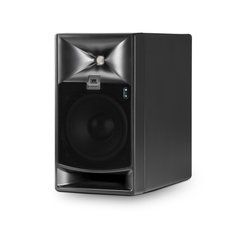
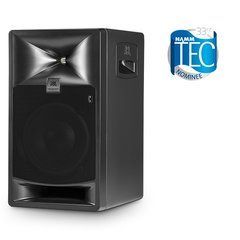
Comparing 305P MkII, 306P MkII and 308P MkII
The 3 Series MkII models offer different low-frequency driver and cabinet sizes. Compare them against available space, required output at the listening position and the demands of your material's lower frequencies. A larger model may suit the intended distance and programme, but cabinet size alone cannot ensure accurate bass in an untreated room.
Compare frequency specifications on a like-for-like basis: a range limit allowing substantial attenuation is not equivalent to a flat response down to that frequency. Similarly, peak sound pressure does not describe continuous working volume. Match playback levels when auditioning different models, otherwise the louder one can easily seem more detailed. Listen for midrange intelligibility, bass-note attack and a stable vocal image rather than simply the quantity of low frequencies. In a small workspace, also check that the rear controls remain accessible after installation.
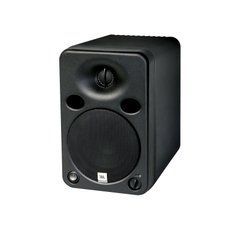
How the 104-BT desktop package differs
JBL 104-BT is intended for a compact workstation and uses a different package arrangement: electronics in the host monitor also serve the extension speaker. Account for the cable between cabinets and access to the controls when planning placement. Do not apply this package's power arrangement to a pair of independently powered monitors from another series.
The 104-BT provides Bluetooth, wired inputs and front-panel source selection. Its headphone connection mutes the loudspeakers when headphones are connected. These facilities are useful when moving between editing, checking audio from a phone and private listening. Wireless playback and monitoring an instrument while recording have different latency requirements, however. For real-time playing through a computer, plan a suitable wired signal path and interface settings. Use Bluetooth for tasks where its delay does not interfere with the work, rather than assuming every input is equally appropriate for recording.
Connecting an interface and matching input sensitivity
A stereo pair requires left and right source outputs correctly assigned in the production software. With 3 Series MkII, check the balanced XLR or TRS connections and match input sensitivity to the interface output. Identical-looking connectors do not necessarily carry the same signal: a stereo headphone output and a balanced mono output need different wiring arrangements. Select cables for the actual equipment and signal type, not just the plug dimensions.
Start at low volume, test each channel separately and establish matched initial settings. If one monitor is substantially louder, first check the level controls, routing and cables. Do not compensate for a connection error by changing track panning in the project. For daily operation, keep convenient master level control at the interface or monitor controller, using individual speaker settings to establish a consistent system balance.
Boundary EQ, HF Trim and room acoustics
The 305P MkII provides Boundary EQ for low-frequency balance and HF Trim for high-frequency adjustment. These are useful adaptation tools, but they do not measure the room automatically or correct every reflection. Begin with symmetrical placement, suitable height and an unobstructed sound path to the listener. Then compare adjustments using familiar material, changing one parameter at a time so the effect remains clear.
If bass booms on particular notes or disappears when your head moves slightly, investigate room resonances and listening position. A compliant support may reduce mechanical vibration transferred to a desk, but it does not replace bass trapping or other appropriately designed acoustic treatment. Avoid copying arbitrary settings from another studio: identical loudspeakers operate in different surroundings. Keeping brief notes about placement and switch positions makes comparisons more reliable and helps avoid confusing several simultaneous changes.
Subwoofers, package contents and the first session
Consider a subwoofer when your work requires additional control of the lowest frequencies. Check compatible routing, filtering for the main channels and the method for matching level and phase. Excessive bass can hide mix problems instead of helping reveal them. Compare operation with and without the subwoofer at consistent listening levels, using recordings whose balance you already understand.
Before ordering, confirm whether the quoted price covers one monitor or a complete set and identify the included cables and accessories. Budget for stands or supports and the necessary interconnections. After installation, verify left and right channels, mono centre image, background noise and convenient level control. Save the initial switch settings so you can return to a known configuration after experimenting with placement. A simple channel identification track also helps confirm that software updates or cable changes have not reversed the stereo image.
SoundsGood supplies sound equipment for educational institutions, studios, concert halls, conference rooms, and public and private organisations. A technical brief can be used to agree on system components, specifications, a commercial quotation, documentation and delivery arrangements.