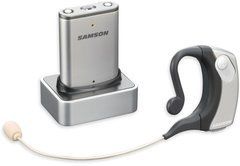
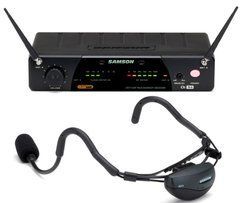
For teaching, presenting and active performance
A headworn wireless system keeps the microphone near the mouth while someone shows materials, plays an instrument or moves around. Unlike a handheld, it does not require the user to hold the enclosure and control distance by hand. The result still depends on fit: a headset that slips during a turn will not provide the expected consistency. Choose around the individual wearer, working duration and type of movement.
For teaching, comfort throughout the lesson and compatibility with glasses matter. Presenters may prioritise appearance, quick fitting and understandable mute operation. Stage performance adds costumes, monitors and performer activity. Do not automatically transfer requirements from a quiet presentation to intensive exercise or dancing. Check the documented moisture, perspiration and mechanical-use conditions of the specific model.
Headset fit and capsule placement
Assess frame construction, adjustment range and supported wearing side. Try the headset with the glasses, hairstyle or stage headwear that will actually be used. After adjustment, ask the wearer to turn, bend and speak several sentences. The microphone should not require constant repositioning. Check comfort over a representative working period rather than judging only the first few minutes after fitting.
Position the capsule according to its instructions, away from direct breath airflow. The Shure SM35 guide, for example, illustrates placement near the corner of the mouth and use of a windscreen. This is guidance for that design, not a universal spacing rule for every headset. Listen to sibilants, plosive consonants, normal speech and louder phrases. If breathing or air impacts are audible, adjust placement before relying only on reducing low frequencies.
Pickup pattern and stage sound
Headworn microphones can have different pickup patterns, so colour and capsule size alone do not provide a useful comparison. Shure identifies SM35-TQG as a cardioid condenser microphone, for example. Check sensitive-side orientation and recommended position for each model. If the capsule faces the wrong way, increasing gain may introduce further problems rather than improve intelligibility.
For sound reinforcement, evaluate the headset with the actual loudspeakers and monitors. The wearer may turn towards a speaker or move closer to it, so test the complete route. A headworn microphone does not automatically eliminate feedback. Set up at realistic voice level and retain operating margin before unwanted ringing occurs. For recording, listen separately to background sound: placing the capsule close to the mouth does not completely isolate the voice from the room.
Bodypack, cable and package compatibility
The headset and transmitter must match in connector, wiring and power requirements. “Headworn microphone” does not define an electrical standard. Before replacing a headset, record the exact bodypack model and check approved accessories. Also distinguish a complete wireless set from an individual microphone: receiver, transmitter, power supply and the necessary output cable may be separate purchases.
Route the cable so it does not pull the frame when the wearer turns or catch on clothing. Leave sufficient movement allowance without creating a loose loop that is easily snagged. Secure the bodypack comfortably and check it while sitting and standing. Follow antenna-positioning instructions. If a protective pouch is used, it should not press controls, obscure required indicators or prevent access for a power change.
Preparing for use and caring for the equipment
Before starting, check charge, channel assignment and audio at the final device. Ask the wearer to speak as they will during the activity, including the loudest expected phrases. Settings established for a quiet briefing should not be carried into an animated performance without a check. Rehearse mute operation: who controls it, how its state is shown and how audio is restored promptly. Label transmitters and receiver channels when several people are involved.
After use, remove the headset carefully without pulling its cable or boom. Follow the manufacturer's cleaning and drying guidance; do not immerse electronic parts or apply arbitrary cleaning agents. Service a removable windscreen separately only as instructed. Shared use needs time for appropriate care between wearers. Store the frame in its intended shape and avoid sharp cable bends so the next setup starts with equipment in good condition.
Questions about headworn wireless systems
Can a headset be comfortable with glasses? It depends on the frame and individual fit. Check that the two sets of supports do not press against each other and that adjusting the glasses does not move the microphone. A brief fitting without the glasses does not represent actual use.
Is any package suitable for energetic activity? No. Appropriate operating conditions, secure mounting and a movement test are needed. Check perspiration protection and care requirements in particular instead of assuming that a stage microphone is suitable for every type of activity.
Why does the sound change after a costume change? Headset position, cable tension or transmitter settings may have changed. Restore the tested fit and listen to the voice before adjusting levels. This avoids compensating electronically for a mounting problem that will move again.
What information helps with selection? Describe the activity, duration, movement, simultaneous users and existing sound equipment. Include appearance, glasses, headwear and backup-power requirements. That allows headset comfort and complete wireless-system compatibility to be assessed together.
SoundsGood supplies sound equipment for educational institutions, studios, concert halls, conference rooms, and public and private organisations. A technical brief can be used to agree on system components, specifications, a commercial quotation, documentation and delivery arrangements.