Planning sound across several rooms
Choose a public address amplifier after describing how the site operates each day. A shop may need background music throughout opening hours, with announcements interrupting it only on the sales floor. A training centre may need calls to particular classrooms while other rooms continue without interruption. Write these scenarios down, then mark sources, zones and control positions on a floor plan. This separates the functions required from the amplifier from tasks that an external mixer or matrix will handle.
Room count is not the same as the number of independent programmes. Three rooms might share music and a common volume setting, share music with separate local levels, or each receive a different source. These require different arrangements. A selector that disconnects a speaker line does not create an independent audio channel. Decide whether staff announcements must reach every zone simultaneously. A useful planning table identifies the room, music source, paging destination, volume control method and responsible operator. It also makes it easier to explain the proposed system to the people who will use it.
Wall units and multichannel rack amplifiers
A compact wall unit suits a room where the user selects music locally. Fonestar describes the WA-66R as a stereo wall amplifier with USB/MicroSD playback and FM. An integrated player can simplify a small system, but does not establish suitability for a large distributed speaker network. Check the speaker outputs, mounting box, access to media and available level restrictions. The controls should remain accessible to staff, with wiring and power arranged according to the instructions for the exact product.
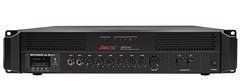
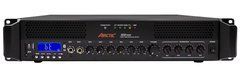
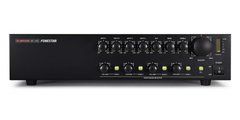
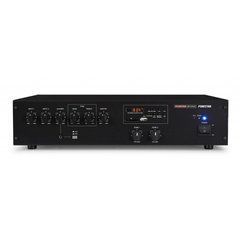
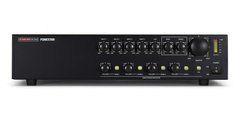
A multichannel rack amplifier has a different purpose: concentrating amplification for several lines in a technical location. The Fonestar FSD-4500E supports 70/100 V speaker outputs, while Dante audio requires the optional FSD-44D module. A feature name on a product-family page therefore does not prove that the necessary module is included. For rack installation, check enclosure depth, cable clearance, airflow direction and access to rear terminals. Compare wall and rack formats by their fit with the project, including daily operation and servicing, rather than by wattage or appearance alone.
Speaker-line loading and expansion capacity
For a distributed system, start with the selected transformer taps on the loudspeakers. Eight speakers each set to 6 W represent a combined tap load of 48 W. That is a starting point for checking a channel, not a recommendation to purchase an amplifier rated at exactly 48 W. The next steps consider the manufacturer's requirements, cable losses, operating margin and future expansion. Make a separate list for each channel: a building-wide total can conceal an overloaded individual line.
The labels 70 V and 100 V describe speaker-line operating modes, not the equipment's mains supply. The amplifier, transformers and attenuators must agree with the chosen mode. Low-impedance speakers require a different calculation based on permitted impedance and connection arrangement. Do not connect them to a distributed-line output simply because the terminals fit. Allow documented capacity for expansion, but also check volume controls, switching equipment and cabling. Installing a larger amplifier does not increase the load rating of the other components carrying its output.
Inputs, announcements and priority behaviour
A music player, paging station and external mixer may deliver different signals. Match the source output level to the amplifier input type, including balanced or unbalanced wiring. A connector does not prove that the device includes a microphone preamplifier or phantom power. When speech is too quiet, turning every control fully up cannot correct an input mismatch. Establish the appropriate signal path first, then adjust levels so normal speech remains clear without overload. Keep the intended microphone distance consistent when evaluating the result.
Define what should happen to music during announcements: complete muting, a reduction in level, or no automatic change. Priority may be triggered by a contact closure, a compatible controller command or another supported mechanism. These methods are not interchangeable without checking the wiring and equipment. During commissioning, test the start of each message, music recovery and zone destinations, including operation with local volume turned down. If the project calls for emergency announcements, suitability depends on documentation and the complete system; a routine priority input alone does not establish that capability.
Intelligibility, cabling and everyday operation
An unclear announcement does not necessarily indicate insufficient amplifier power. Speakers may aim away from listeners, be spaced too widely, or operate in a room with prolonged reverberation. Assess coverage where people actually stand or sit, rather than only beside the equipment rack. Background music should not change abruptly in level between adjacent areas. Tone adjustment and filtering should support intelligibility, rather than attempt to compensate for poor placement through excessive frequency boosts. Where practical, assess speech under the site's normal operating noise conditions.
The cable schedule should identify the purpose, route and connected load of each line. Labels at both ends save service time and reduce the likelihood of outputs being joined accidentally. Staff need understandable zone names and an appropriate adjustment range, while installers need access to technical settings. After power returns, check the source, volume and zone state: setting retention varies by model. Store the final tap schedule and operating settings with the site documentation so future maintenance starts from a verified configuration rather than assumptions about previous work.
Practical questions before ordering
Is a separate player necessary? It may not be if the required source is built in and supports the intended operation. Central scheduling or several independent programmes may exceed the capabilities of a local player. Can more speakers be added later? Plan this around channel capacity, control ratings and the cable arrangement; the number of unused terminals is not enough. Does Dante guarantee remote access to every setting? No. Audio transport and parameter control are separate capabilities that must be checked for the particular hardware configuration.
What information is useful for selection? Prepare a room plan, loudspeaker models, selected transformer taps or impedance, cable lengths, source list and paging scenarios. For an existing system, photographs of connections and equipment labels can help identify what is already installed. Confirm which modules, mounting parts and control devices are included before ordering. After installation, test every working scenario as well as music playback: zone selection, microphone speech, background music recovery and access to everyday controls. This helps hand the system over with a clear operating procedure.
SoundsGood supplies sound equipment for educational institutions, studios, concert halls, conference rooms, and public and private organisations. A technical brief can be used to agree on system components, specifications, a commercial quotation, documentation and delivery arrangements.