Compact monitoring for a defined workspace
IK Multimedia monitors are often considered for limited desk space, home studios and location production. Compact dimensions help a system fit beside a laptop, but selection should involve more than whether the speakers fit in a bag. Define the work: editing speech, creating arrangements, recording instruments or evaluating a finished mix. Each application needs appropriate connections, listening distance and volume control.
Measure the available surface area, clearance below displays and distance to the listener. Decide whether the system will remain in one position or travel regularly. For a mobile setup, repeatable placement, manageable cables and setup time matter alongside weight and protective cases. Even small speakers need stable support and sufficient space for connections without cable strain. Include the practical position of the interface and computer in your plan.
The iLoud name does not imply identical features
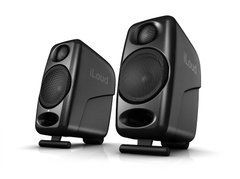
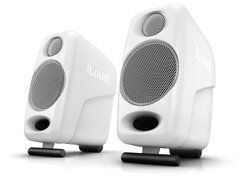
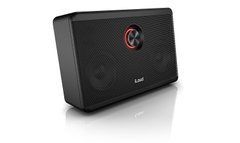
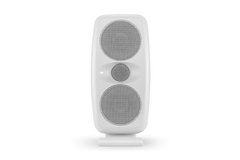
The iLoud family includes products with different purposes. A portable iLoud speaker and iLoud Micro Monitor Pro should not be treated as the same system in different cabinets. Pro and Micro designations, together with the exact package name, matter when checking power arrangements, inputs, calibration and speaker quantity. Do not transfer features from a review of a neighbouring model to the product being ordered.
Make a short comparison based on your own requirements: a stereo pair, interface connection, operation away from mains power, wireless playback or room measurement. Check the documentation for the selected version against each requirement. Where catalogue names look similar, confirm the full model designation and package contents. This is more reliable than judging the front-panel photograph because important differences often concern electronics, rear connections and software facilities.
What ARC calibration can and cannot do
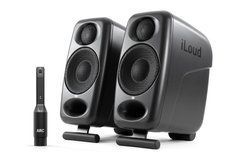
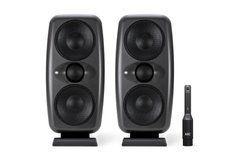
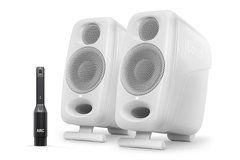
Micro Monitor Pro supports ARC calibration. Its purpose is to use measured system response around the working position to apply suitable correction. Follow the procedure for your particular hardware and software version. Check the compatible microphone, whether it is supplied, the required connections and computer requirements before planning the measurement session.
Establish the final speaker, desk and listening positions before measuring. Moving the system to a different surface or room afterwards can make the previous results unrepresentative. Correction does not remove a room's prolonged reverberation or make every listening position identical. Evaluate it together with placement and acoustic treatment, rather than as a replacement for those steps. Keep a record of the arrangement so you know when physical changes justify a new measurement.
Audio connections, USB and signal routing
The Micro Monitor Pro specifications list balanced XLR and unbalanced RCA connections. Match the input arrangement to the source outputs, checking each socket's purpose. A USB-C connector does not automatically mean the loudspeaker replaces a USB audio interface. Before purchase, confirm whether that connection supports control, updates or other manufacturer-defined functions for the exact model.
Stereo monitoring needs separate left and right paths correctly assigned in the production software. Check that both channels can be adjusted together from the workstation. When recording an instrument, consider latency through the entire chain, including the interface, software buffer and processing effects. Replacing speakers cannot remove delay introduced by the computer configuration. Begin testing at low level with a familiar recording and a known channel arrangement, then verify that master volume control behaves predictably.
Desktop placement and close listening
Place the monitors symmetrically around the listener without obstruction from displays. Check height and orientation against the selected model's recommendations. If the cabinets sit too low, increasing volume will not correct the listening geometry. Choose supports for stability, suitable load capacity and the ability to achieve the required position without unsafe overhang.
A desktop introduces reflections from the work surface and nearby objects, while low-frequency behaviour also depends on the room. Compare a few practical positions before committing to cable routing. Listen for vocal clarity, a stable centre image and quiet details rather than judging bass strength alone. For location work, a simple repeatable placement arrangement is useful whenever the new room allows it. Photographing a successful layout can make the next setup easier without assuming that the same calibration suits every destination.
Package contents, transport and checking the result
Compare the complete working cost: the required number of monitors, source equipment, cables, supports and measurement accessories. A Pair package and a single-speaker offer may include different items. Confirm suitable protection for transport; the bag should fit the actual cabinets and prevent accessories from pressing against drivers. Store cables so that their connectors do not place stress on the rear panel during travel.
After installation, test both channels, background noise, volume adjustment and retention of the intended settings. Compare corrected and uncorrected playback at similar loudness, since level differences can distort the judgement. Record speaker positions and measurement-session details. Check final mix decisions on familiar headphones or another reference system as well, to assess how the balance translates beyond the workstation. That comparison can reveal recurring decisions caused by the room or listening arrangement rather than the recording itself.
SoundsGood supplies sound equipment for educational institutions, studios, concert halls, conference rooms, and public and private organisations. A technical brief can be used to agree on system components, specifications, a commercial quotation, documentation and delivery arrangements.