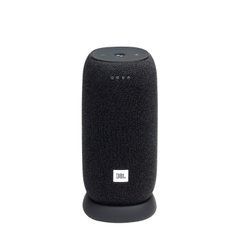
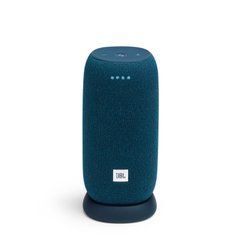
Choosing JBL LINK for a room or for moving around
Begin by deciding whether the speaker will remain beside a power outlet or needs to operate in different locations. Within the LINK family, the brand name does not establish the power arrangement. Compare the exact model, battery provision and included charging equipment. Link Music and Link Portable suit different routines, so a compact enclosure alone does not establish battery operation. For a kitchen, desk or bedroom, convenient placement may matter more than portability.
Allow space for the enclosure, accessible controls and the power cable. If you expect to move the speaker regularly, consider its weight together with necessary accessories. Test a battery model at your normal listening level before a long trip. An advertised maximum playback duration is not a guaranteed result in every mode: listening conditions and battery condition affect the useful time available.
Wi‑Fi and Bluetooth serve different purposes
For a fixed installation, Wi‑Fi integrates a compatible speaker into the home network. Bluetooth provides a direct connection to a compatible source nearby. Decide which method will be your main option and test it with your own phone. Having both interfaces does not mean that every feature remains available away from the home network. Consult the exact model’s instructions for initial setup and the sequence for activating its playback modes.
For music in several rooms, check a shared protocol and supported grouping rather than relying on the JBL logo. A speaker from another range may not join through the same method. Network grouping, a stereo pair and simultaneous phone connections are separate capabilities. List your existing devices by their precise model names before choosing another speaker. This makes it easier to establish whether the proposed system can perform the task you actually need.
Preparing the network and completing the first setup
Carry out the first setup where the router signal is stable and the phone can access the same local network. A guest network or client isolation can interfere with device discovery even while internet access works on the phone. If setup does not finish, check network settings and application permissions before repeatedly resetting the speaker. Follow the manufacturer’s sequence for the particular device version.
Once setup succeeds, move the speaker to its intended position and test playback again. Reliable operation beside the router does not guarantee the same result through several walls. Try volume adjustment, pause and reconnection after a power interruption. In a shared household, establish who manages the account and settings so that everyday listening does not depend on one person always being present.
AirPlay, voice features and service availability
JBL confirms AirPlay 2 support for Link Music and Link Portable, with a Wi‑Fi setup required first. Do not extend that capability automatically to every product carrying the LINK name. For an Apple phone, check the intended playback method and compatibility with the current software environment. Other sources also require a supported protocol, rather than wireless connectivity in general.
Voice control and online music services depend on region, language, account conditions and the platform’s current support. If a particular service is the main reason for buying, verify it on the relevant model separately. An older promotional reference is not an unconditional promise that every service feature works today. Also check how to disable the microphones and what the speaker can do without internet access. Separate essential playback requirements from optional online conveniences when comparing alternatives.
Placement, protection and everyday use
Leave space around the enclosure and avoid covering it with other objects. A corner or enclosed shelf can alter perceived bass. Compare a few positions at the same volume using familiar vocals and acoustic instruments. Objects rattling on a desk do not necessarily indicate a speaker fault: first check the supporting surface and nearby items. Position the controls where you can reach them without pulling the power lead.
The manufacturer specifies IPX7 protection for Link Portable, but that is not a universal property of the entire family. Do not extend it to charging accessories or other models. Follow the instructions for care after moisture exposure and for charging conditions. Near water, the placement of power equipment, a stable supporting surface and unobstructed cable routes matter as well as the enclosure’s stated protection.
Checking the complete setup before choosing
Use your own phone, usual music application and a short list of essential functions. Test direct playback, network operation and any required device group separately. For video, check whether speech stays aligned with the picture on your source: satisfactory music playback alone does not establish that. Try the controls from the distance at which you normally expect to use them.
Compare included accessories, power requirements, necessary accounts and the router model. Provide the exact names of existing speakers and your preferred control method when requesting assistance. This allows the complete system to be assessed against your needs, rather than choosing a speaker that sounds appealing by itself but cannot perform the intended role in your home.
Link Music or Link Portable
Consider Link Music for a fixed position near a socket. Link Portable can be moved without a permanent power cable and has a manufacturer-stated IPX7 rating. Do not apply that rating to Music or charge a device with a wet connector.
Wi-Fi, AirPlay 2 and available services
Network playback and Bluetooth are separate connection methods. JBL documents AirPlay 2 for Link Music and Portable; initial setup depends on your phone and home network. Check voice control, languages and streaming services for your region, account and current software.
Bluetooth, Wi-Fi and wired inputs
Bluetooth music, network playback and analogue inputs are different features. Check phone compatibility, the app and USB functions. A charging connector does not necessarily accept audio or a flash drive.
Runtime and protection
Runtime varies with level, programme material and operating modes. Check dust and water protection in the documentation; it does not mean unlimited underwater use or charging while wet. Follow care and drying instructions.
Linking several speakers
Check the exact protocol and supported generations. Stereo pairing, synchronised multi-speaker playback and a normal Bluetooth connection are different uses. A shared logo does not guarantee compatibility between every model.
Buy sound equipment at SoundsGood
We can help match sources, channels, speakers, connections and budget. Provide a list of existing devices and describe where the system will operate. Confirm the warranty period and included accessories for each product.
Free delivery applies to online-paid orders from UAH 4,000. Promotional items, promo codes, special-order items and instalment payments are excluded. See the payment and delivery page for full conditions.
SoundsGood supplies sound equipment for educational institutions, studios, concert halls, conference rooms, and public and private organisations. A technical brief can be used to agree on system components, specifications, a commercial quotation, documentation and delivery arrangements.