STUDIO / REVIEW & PRACTICE
The red box on a desk can be a simple sound card, or it can become the centre of a home studio. The fourth-generation Scarlett 2i2 is interesting because it supports the second role: two recording channels, clear hands-on control and useful help with recording levels. This review explores where that combination works best, what Auto Gain and Air actually contribute, and when a different interface would make more sense.
7 September 2026 · 11 min read
Why the 2i2 format works
Home recording usually needs a small number of inputs, but those inputs must adapt to changing work. Today you might record a vocal and guitar, tomorrow a stereo microphone pair, and at the weekend a synthesiser. Two versatile channels let you change the session without rebuilding your entire setup. The appeal is practical: you can finish a song without buying a rack of equipment first.
Focusrite describes the previous Scarlett 2i2 as a worldwide bestseller in its category. That is the manufacturer's description, rather than an independent ranking of all market sales. The more useful buying question is whether two simultaneous sources match your plans. The fourth generation keeps that accessible format and adds help with common recording mistakes. However, if you already need three podcast microphones or several microphones around a drum kit, channel count will become the limitation long before converter quality does. Start with a real session rather than an imagined future studio.

Physical design and everyday control
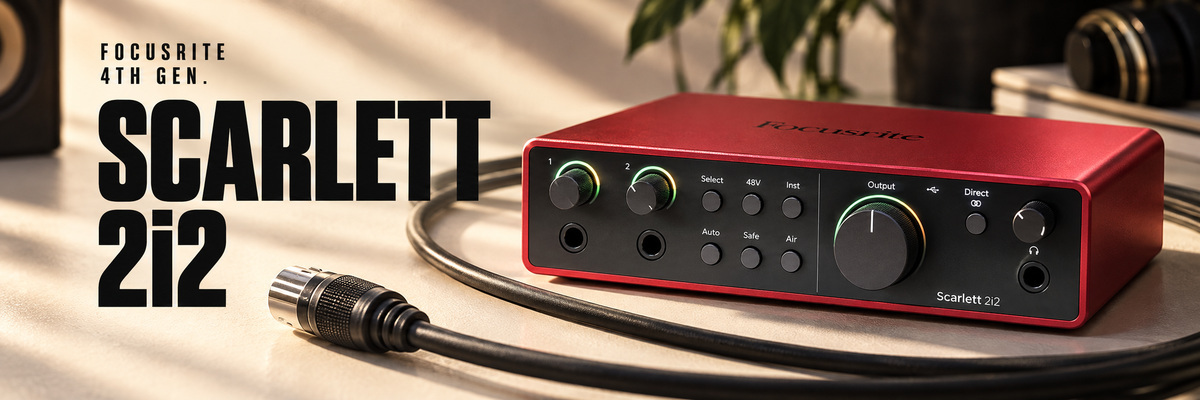
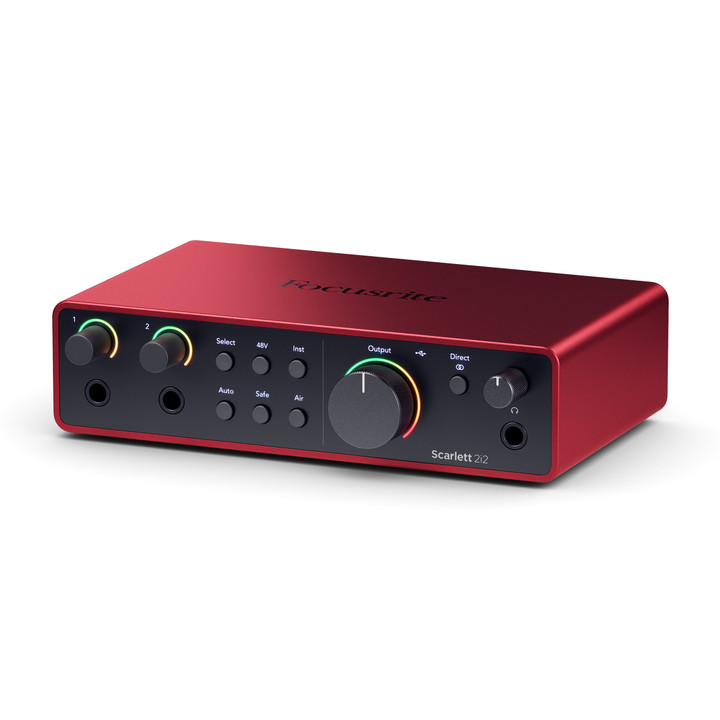
A desktop interface earns its place through ordinary details: can you see the input level, reach the correct knob and change headphone volume without interrupting a take? Scarlett provides separate speaker and headphone level controls, while illuminated rings around the gain controls make input status visible. For someone recording themselves, a quick glance at the hardware is often easier than switching between software windows.
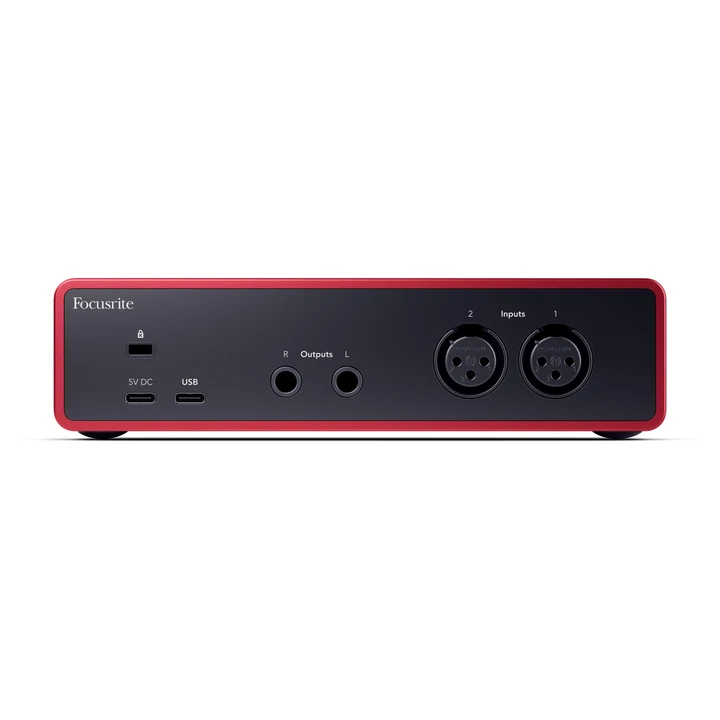
Microphone XLR sockets are on the rear, with instrument and line jacks at the front. This arrangement lets permanent microphone cables stay out of the way while a guitar can be connected quickly. There is one important distinction: four physical sockets do not provide four independent recording channels. Inserting a front-panel jack disables the corresponding rear XLR input. Remembering this prevents a familiar troubleshooting puzzle when a microphone suddenly disappears after an instrument is connected. Also allow room behind the interface for plugs and cable bends, especially on a crowded desk.
Specifications in context
Scarlett 2i2 4th Gen supports recording up to 24-bit/192 kHz and offers a 69 dB microphone gain range. The dynamic-range figures deserve careful reading: the advertised 120 dB applies to the line outputs; the microphone-input specification is 116 dB A-weighted. One headline number does not describe every part of an audio interface.
These specifications make the unit a credible foundation for serious home recording, but they do not determine the result alone. Microphone distance, room acoustics and performance still matter enormously. There is no need to select 192 kHz automatically for every session. Higher sample rates increase storage and processing demands, and some functions have sample-rate restrictions. A consistent starting format such as 24-bit/48 kHz is a practical choice for many first projects. Concentrate on reliable recording and healthy headroom before pursuing the largest numbers in the settings menu. A clean take is more valuable than an unnecessarily demanding session format.
| Specification | Value |
|---|---|
| Analogue channels | 2 in / 2 out |
| Microphone gain range | 69 dB |
| Recording format | 24-bit / 44.1–192 kHz |
| Microphone input dynamic range | 116 dB (A) |
| Line output dynamic range | 120 dB (A) |
| Headphone output | 1 × 6.35 mm TRS |
| Clip Safe / Harmonic Drive limit | ≤ 96 kHz |
Auto Gain and Clip Safe solve different problems
Auto Gain listens to a ten-second performance and establishes an initial gain setting. Its purpose becomes clear when the singer and engineer are the same person. Perform the loudest realistic section instead of a quiet microphone check. If the test is a whisper and the chorus is a shout, the system has not heard a representative signal. Automation saves time, but the usefulness of its result depends on the material you provide.
Clip Safe has a different task: it reduces preamp gain when the input approaches overload. It is neither a creative vocal compressor nor a repair tool for a take that has already been damaged. Keep sensible headroom instead of deliberately pushing the meter into the red. Listen back after a trial chorus and confirm the result. The current guide specifies Clip Safe operation up to 96 kHz; it is unavailable at 176.4 and 192 kHz. For expressive vocals, that practical assistance may be more valuable than recording at the highest possible sample rate.

Air adds a choice of character
Air offers Presence and Presence with Harmonic Drive. The first changes the sense of presence; the second adds harmonic character. Treat these as tonal choices rather than a permanent improvement switch. A vocal that disappears in an arrangement may benefit from greater definition, while an already bright microphone or forceful singing style may call for a more restrained approach.
Compare short passages at the same microphone distance and approximately matched playback level. Listen within the arrangement as well as in solo. Are the words easier to understand, or simply sharper? Will the extra edge help the vocal sit among guitars and drums, or require corrective equalisation later? If the answer is unclear, the clean setting preserves flexibility during mixing. Harmonic Drive is available only up to 96 kHz, so check that limitation before choosing the session format. The useful outcome is a sound that supports the performance, not an impressive difference during a quick solo audition.
Vocals, guitars and stereo instruments
For a songwriter, two inputs allow a vocal and guitar to occupy separate tracks. You can then bring the vocal forward while giving the instrument a different space. With a microphone on an acoustic guitar, consider spill between the two microphones. Simply owning two inputs will not fix poor positioning; direction, distance and the balance of the performance remain part of the recording process.
An electric guitar connects to a front input in Inst mode. A clean DI recording provides a flexible foundation for an amplifier plug-in because amp and cabinet choices can change after the performance. A synthesiser's line outputs use Line mode instead. Stereo takes both input channels: connecting one TRS cable to one input does not make that input stereo. Sketch the connections for a specific evening of recording before buying. If you want stereo keyboards and a live vocal at the same time, two analogue inputs will not be enough, even though each individual source is compatible with the interface.
Monitoring without hearing everything twice
Direct Monitor lets you hear the incoming signal without sending it through the complete recording-software path first. This is useful for vocals and acoustic instruments when computer latency makes timing uncomfortable. The direct signal does not pass through your software guitar amplifier or reverb, however. To hear those effects, monitor through the software and select a buffer size that your computer can run reliably.
A common mistake is enabling both direct monitoring and the software return of the same track. The headphones then reproduce two versions with different timing, creating a doubled or coloured sound. Test with one monitoring route at a time. Choose mono or stereo direct monitoring to suit the source: a centred vocal is usually comfortable, while stereo keyboards benefit from retaining their left-right image. Clear routing improves the session more than indiscriminately lowering every latency setting. If a very small buffer produces clicks, raise it and repeat a short test before recording a complete performance.
Headphones, speakers and loopback
The single headphone socket deserves attention if two people will record together. Do not build the session around an arbitrary splitter without considering loading and independent volume control. A suitable headphone distribution amplifier can make a two-person setup much more comfortable. Plan the speaker cables as well: a correct pair of connections to active monitors avoids stopping the first session over incompatible plugs.
Loopback routes computer audio back into recording or streaming software. That is useful for lessons, software demonstrations and podcasts, but it still requires a deliberate signal plan. Before going live, record a short local test: confirm that the voice and demonstration audio are present and that a remote guest does not hear a delayed return of their own speech. A one-minute check is easier than diagnosing an echo during an interview. Loopback does not turn the 2i2 into a large analogue mixer; there are still only two physical recording channels. The software's source selection remains part of preparing the programme.

Solo, third-generation 2i2 or fourth-generation 2i2?
Scarlett Solo 4th Gen makes sense for a stable setup using one microphone and one instrument input, without a need for two microphones at once. Interviews, stereo microphone recording and regularly changing sources make the 2i2's flexibility more valuable. Choose around an actual recording plan rather than assuming that every more expensive interface automatically produces a better version of one voice.
Owners of a third-generation 2i2 should identify a specific problem before upgrading. Do you need more gain, easier level setting while recording yourself, or a particular fourth-generation feature? Those are concrete reasons to consider a change. If your recordings are already clean and comfortable, acoustic treatment or more useful headphones may have a greater practical effect. A working interface does not become unsuitable merely because a newer generation exists. Check computer and software compatibility too: a stable daily setup is worth more than a specification advantage that barely affects your work. Compare what changes in a session, not just what changes on the box.
Who benefits most?
Scarlett 2i2 4th Gen is a strong candidate for songwriters, guitarists using software amplifiers, home vocalists and podcast hosts recording one guest. Its appeal is the combination of a straightforward format, helpful level automation and flexible two-channel recording. It gives you room to improve microphones and monitoring without making each session more complicated than it needs to be.
Consider a different class of interface if you already require several independent headphone mixes, more than two simultaneous analogue sources or specialised digital connections. Budget for the whole working setup: stands, cables, headphones, software and a suitable place to record. The most useful purchase is the one that lets you sit down and make music. Scarlett 2i2 fits that approach when its limits and strengths match your process. Leave sensible room for growth, but avoid buying a list of features without a clear idea of how you will use them.
Questions before buying
Can it record two microphones simultaneously?
Yes, through the two rear XLR inputs. Leave the corresponding front jack disconnected when using a microphone on that channel. Check each microphone's own instructions to determine whether it requires phantom power.
Does a quiet dynamic microphone need an external booster?
Not automatically. Assess voice level, distance, required gain and noise in an actual recording first. A generous gain range is useful, but one number cannot replace evaluating the complete signal chain.
Does Auto Gain replace a compressor?
No. Auto Gain sets preamp gain before recording, while a compressor changes signal dynamics according to its settings. Clip Safe also has a separate purpose: helping prevent input overload.
What should be checked in the package?
Confirm the fourth-generation model, the connection required by your computer, power requirements and current software activation terms. The standalone interface and Scarlett Studio bundle have different contents; a microphone in a promotional photograph is not proof that it is included.
Models at SoundsGood
Open the specific product to check its current price, availability and package contents. For a studio, classroom or institution, we can help select a compatible system and prepare a commercial quotation, including for tender procurement.
Free delivery across Ukraine from UAH 4,000 · Instalments with PrivatBank and monobank · Official manufacturer or importer warranty
Sources and manufacturer resources
- Focusrite — Scarlett 2i2 4th Gen
- Focusrite — hardware features
- Focusrite — specifications
- Focusrite — recording and loopback
- Focusrite — Scarlett 2i2 3rd Gen
Editorial review based on manufacturer documentation and practical recording scenarios. No independent laboratory measurements or personal testing of these samples is claimed. The magazine cover is an AI composition; product photographs within the article are manufacturer originals.