SOUNDSGOOD / STUDIO NOTES
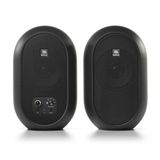
A compact stereo pair with Bluetooth, analogue inputs and accessible front controls. We examine where the JBL 104-BT fits, how to connect it and what to expect from a small desktop enclosure.
Specifications in context
| LF / HF drivers | 4.5″ / 0.75″, coaxial |
|---|---|
| Amplification for the pair | 60 W (30 + 30 W) |
| Frequency response | 88 Hz – 20 kHz (−3 dB); 60 Hz – 20 kHz (−10 dB) |
| Bluetooth | 5.0 |
| Inputs | TRS / RCA / 3.5 mm Aux / Bluetooth |
| Headphones | 3.5 mm |
| Dimensions H × W × D | 247 × 153 × 124 mm |
| Primary / secondary weight | 2.06 / 1.73 kg |
One set for several jobs
Video editing, podcasts, musical sketches and everyday listening are sensible applications for the 104-BT. Its appeal is compact size with quick source changes. You can work from a wired computer connection, check material from a phone and switch to headphones without reaching behind the speakers.
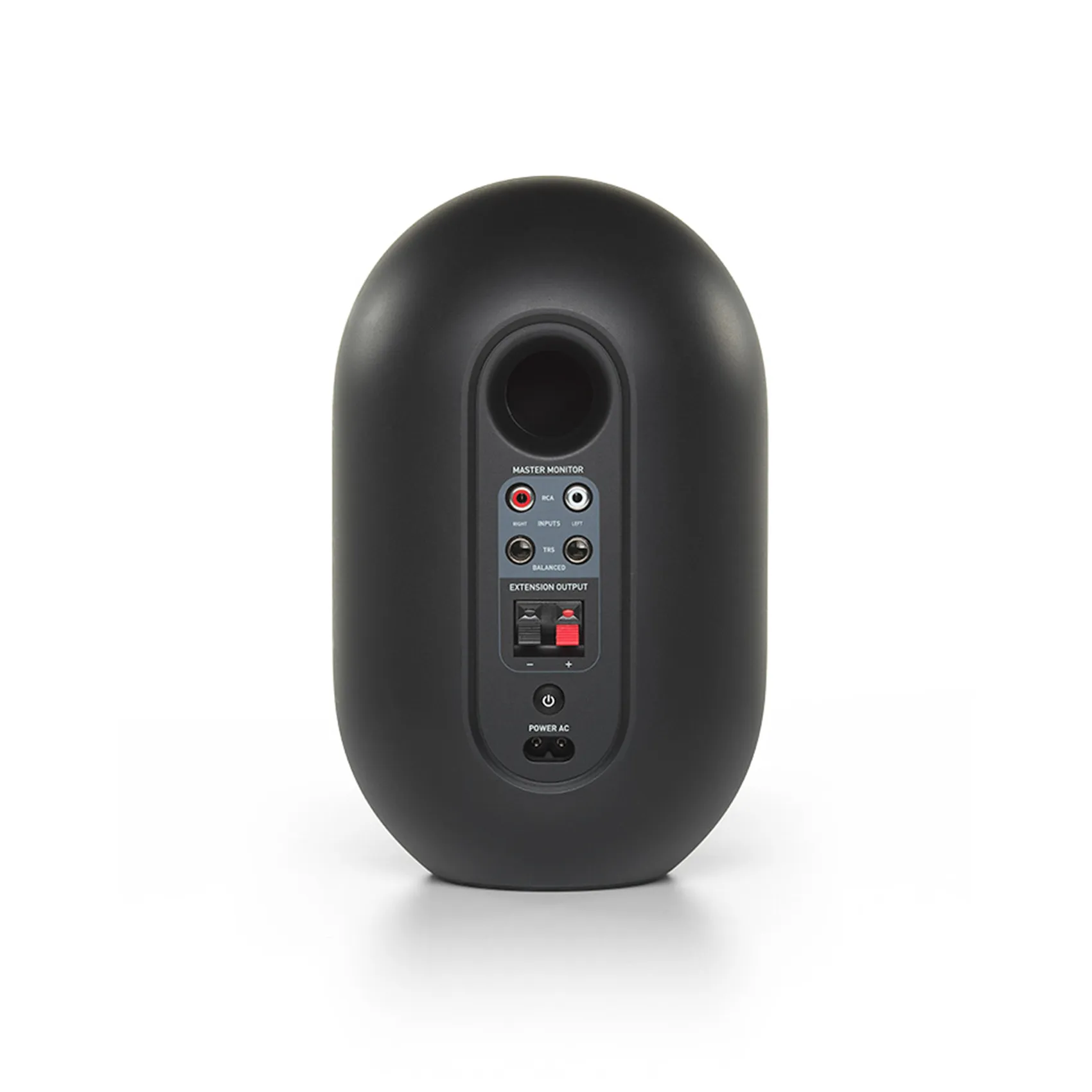
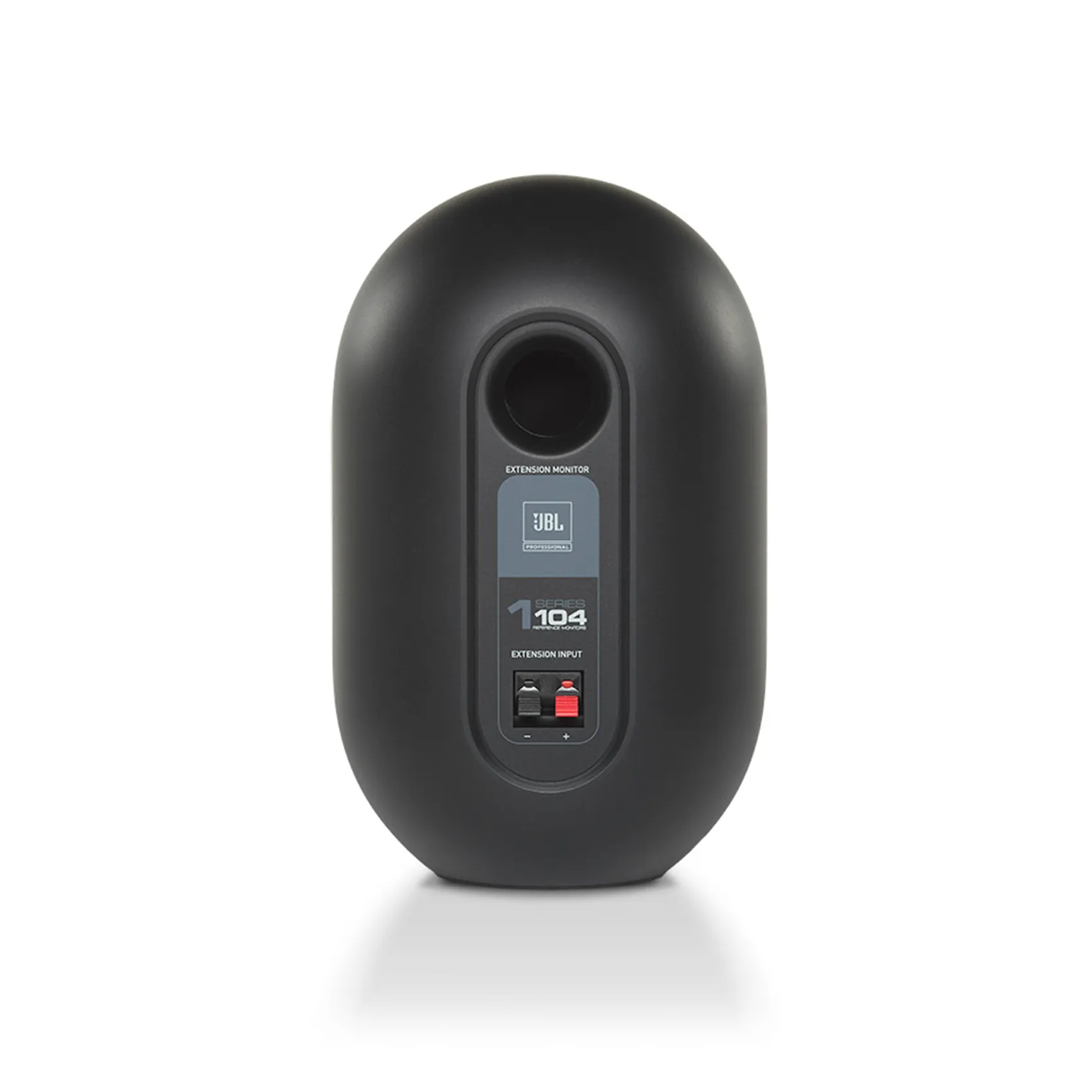
The set contains two enclosures. The primary houses amplification and controls; the secondary receives signal and power over speaker cable. This differs from a 305P pair, where each monitor is independently powered. No external power amplifier is needed, and the inter-speaker connection remains wired even while the source uses Bluetooth.
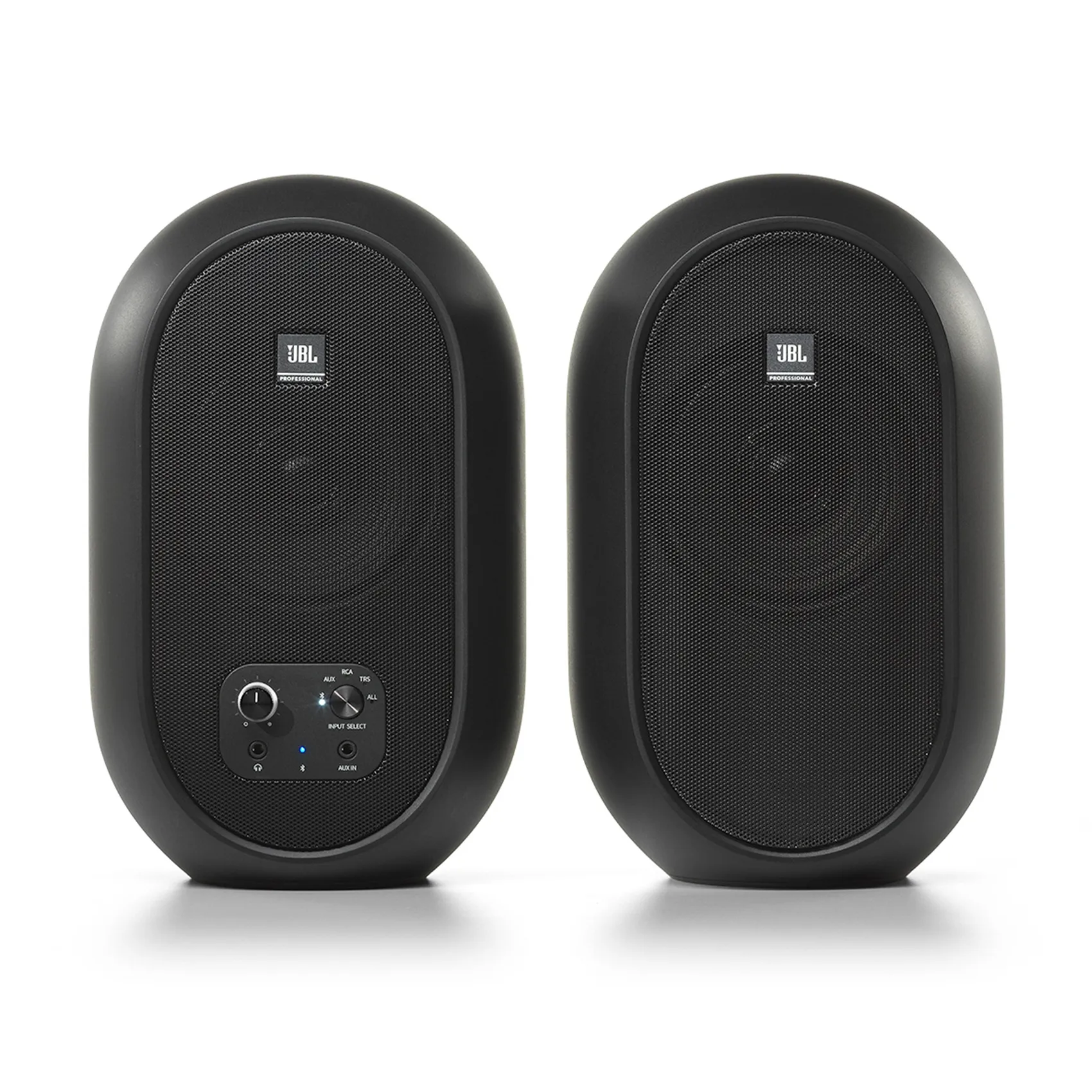
Coaxial design and the compact enclosure
The high-frequency driver sits on the low-frequency driver axis. This permits a compact source with the two frequency sections radiating from closely aligned positions. For near-desktop listening, the geometry has a practical purpose: the design does not need a separate large tweeter assembly above a large woofer.
Coaxial does not mean identical sound everywhere. Distance, desk height and surrounding surfaces still matter. Position the pair symmetrically, keep the grilles clear of the display and check the centre with a mono voice. If it pulls sideways, investigate placement and channel routing before changing the pan setting in a project.
Understanding the bass specification
JBL lists 88 Hz–20 kHz at −3 dB and 60 Hz–20 kHz at −10 dB. These are compatible figures: the lower edge of the wider range is already substantially attenuated. Consequently, 60 Hz should not be presented as the limit of flat response. That distinction matters when judging kick drums, bass guitar and low synthesiser notes.
A compact system can be useful for speech and midrange decisions. Final judgements about deep bass need checking through another suitable reference. Do not try to overcome the physical limits with a large low-frequency boost; it consumes headroom. Equally, avoid adding bass to every mix simply because small speakers do not produce the physical impression of a larger system.
Connections: TRS, RCA, Aux and Bluetooth
For a production computer, feed separate left and right interface line outputs to the corresponding TRS inputs. RCA suits a compatible consumer source, while Aux provides a straightforward analogue stereo connection. Choose cables for the actual output: a stereo headphone signal and a balanced mono signal use different wiring despite similar-looking plugs.
Bluetooth is convenient for a phone and quick checks of finished material. Use a cable for virtual-instrument performance, recording and timing-critical editing because wireless latency depends on the devices and processing involved. Bluetooth does not make these speakers a USB audio interface or imply wireless transmission to headphones.
Front controls make a daily difference
Overall volume, input selection and the headphone socket are on the front. All mode lets you hear several inputs. This is helpful during general work, but select a single source for critical editing so a phone notification cannot interrupt judgement of a pause or quiet passage.
Inserting headphones automatically mutes the speakers, simplifying the transition from editing a podcast to recording it. Reduce volume before switching sources: a phone, interface and domestic player may deliver different levels. Keeping a reasonably consistent working level makes reference comparisons more dependable.
Desktop placement and the first session
Match distances to the listener, clear the direct sound path and start at moderate level. Avoid placing one cabinet directly against a side wall while the other stands in open space. That asymmetry changes balance and may make matching speakers seem different. Establish a repeatable position rather than a temporary arrangement that changes every day.
Wire the enclosures with power off and follow terminal polarity. If the image seems unusually diffuse, check the inter-speaker cable and run a left/right channel test. Play familiar speech and several music references. Adjust position methodically, one variable at a time, and judge more than the quantity of bass.
A practical workflow for podcasts and video
Start with speech alone. Listen to edit joins, differences between speakers, sibilance and pauses. Add background music and check intelligibility at low level. An opening sting that sounds pleasant in isolation may be disproportionately loud beside a calm conversation.
Headphones help reveal clicks and background noise; speakers help assess the overall presentation at a normal desk. Check the exported file separately from the editing application. Bluetooth playback tests a particular complete path; it does not automatically simulate every phone or pair of earbuds your audience might use.
104-BT or a pair of 305P MkII monitors?
The strength of the 104-BT is the convenient package: small enclosures, front controls, multiple sources and Bluetooth. A 305P pair makes more sense when an interface already anchors the workspace, larger cabinets fit and placement correction matters. Compare complete system costs: a single 305P is not a stereo pair.
Choose the 104-BT for the daily task it makes easier. If the priority is finishing bass-heavy mixes without another reference, the compact dimensions impose limits. For speech, editing and music at a desk, a larger enclosure may be less practical despite offering a wider operating range.
Reading specifications without misreading the sound
A response specified within ±3 dB and a range measured at −10 dB answer different questions. The first describes a relatively even operating band; the second tells you how far an already attenuated signal extends. The lowest number is therefore not a promise of full-level sub-bass. What matters at work is whether you can compare adjacent bass notes reliably, rather than merely detect the lowest one.
Maximum SPL is not a suggested daily listening level. Peak and continuous ratings use different conditions. Compare recordings at the same moderate level: the louder option can seem more convincing even when its bass or treble is excessive. This editorial review does not claim independent laboratory measurements; its application advice follows the design, manufacturer documentation and practical monitoring workflow.
Frequently asked questions
Are both speakers wireless?
No. Bluetooth connects the source; the primary and secondary enclosures use a cable between them.
Is there a battery?
The set runs from mains power. It is not a battery-powered portable system.
Can I plug a microphone straight in?
Use a microphone preamp, interface or mixer with a line output.
Do I need a separate power amplifier?
No. Amplification is built into the primary enclosure.
Video featured on the official JBL page
Sources and the SoundsGood product
An editorial review of design and practical applications using manufacturer documentation, without claiming independent laboratory measurements.
More studio-series reviews
JBL 305P MkII · JBL 306P MkII · JBL 308P MkII · JBL LSR310S
Product photographs: SoundsGood catalogue. Cover: editorial illustration.