SOUNDSGOOD / STUDIO NOTES
The eight-inch member of the 3 Series MkII deserves a deliberate choice. We examine output capability, low-frequency work, placement and situations in which a larger monitor genuinely helps.
Specifications in context
| LF / HF drivers | 8″ / 1″ |
|---|---|
| Amplification per enclosure | 56 + 56 W |
| Frequency response | 45 Hz – 20 kHz (±3 dB) |
| Maximum peak SPL | 112 dB |
| Dimensions H × W × D | 419 × 254 × 308 mm |
| Weight per enclosure | 8.1 kg |
| Inputs | XLR / 6.35 mm TRS, balanced |
| Tone controls | Boundary EQ: 0 / −1.5 / −3 dB; HF Trim: −2 / 0 / +2 dB |
Who needs the larger format?
The 308P MkII belongs on a shortlist for a working studio with proper positions for a pair, where the listener is not squeezed between the cabinets and a screen. Music production, dense arrangements and low-frequency monitoring are sensible uses when the installation can support them. Size by itself does not make the result professional.
Before ordering, check desk space, stand load ratings and rear-connector access. Each enclosure weighs about eight kilograms. Supports should remain stable when you type or adjust equipment. A badly installed large monitor can offer less useful judgement than a carefully positioned compact one.

What the eight-inch woofer changes
The 308P specification gives a lower operating-band limit and higher peak SPL than the 305P. This makes it relevant when bass work and musical peak headroom matter. The 37 Hz figure in its extended range does not mean flat reproduction at 37 Hz: always retain the stated attenuation when comparing numbers.
A large driver does not make small-room problems inevitable, but neither does it remove them. If one bass note dominates, avoid cutting it in every song automatically; that can create a systematic export error. Check the room response and compare the passage through an independent reference before changing the mix.
Reading specifications without misreading the sound
A response specified within ±3 dB and a range measured at −10 dB answer different questions. The first describes a relatively even operating band; the second tells you how far an already attenuated signal extends. The lowest number is therefore not a promise of full-level sub-bass. What matters at work is whether you can compare adjacent bass notes reliably, rather than merely detect the lowest one.
Maximum SPL is not a suggested daily listening level. Peak and continuous ratings use different conditions. Compare recordings at the same moderate level: the louder option can seem more convincing even when its bass or treble is excessive. This editorial review does not claim independent laboratory measurements; its application advice follows the design, manufacturer documentation and practical monitoring workflow.
Image Control Waveguide and the stereo picture
The 3 Series MkII tweeter sits within the sculpted Image Control Waveguide. This manages radiation and the transition between drivers to provide a useful listening area for stereo monitoring. In editing, that supports judgements about voice position, instrument panning and reverb tails. A generous sweet spot cannot, however, compensate for a speaker squeezed into a corner or an asymmetric desk.
Check the centre image with a mono voice recording. It should appear between the speakers. If it pulls to one side, check ear-to-speaker distances, matching controls and reflections from nearby surfaces before blaming the recording balance. Assess width with several familiar pieces, including sparse material, rather than one impressive demonstration track. Listen for stable positions instead of width alone.
Placement first, equalisation second
Place the pair upright on stable supports, approximately symmetrical around the listening position. Aim the high-frequency drivers towards ear level; begin with similar distances between the speakers and from each speaker to the listener. Move screens and other objects that obstruct the direct sound. Stands help establish height and orientation, but cannot fix room acoustics by themselves.
Leave breathing room behind the rear port instead of pressing the enclosure against a wall or hiding it in a tight shelf. Nearby boundaries can reinforce bass, while reflections can create frequency-specific cancellations. Move the pair in small increments and compare from the same seat. Applying a large EQ boost at an acoustic null generally consumes headroom without fixing the cause. Check placement before assuming the speaker needs a tonal correction.
A useful order for Boundary EQ and HF Trim
Begin with both tone controls neutral. Boundary EQ reduces low-frequency output when placement near a surface makes it excessive; HF Trim adjusts the top end. Change one parameter at a time and note the result. If reducing bass makes speech more natural but individual bass notes still vary dramatically, revisit placement rather than continuing to turn controls.
Build a short reference playlist containing a dry voice, an acoustic instrument, a dense production and a moving bass line. After adjustment, play it quietly and at the normal working level. Avoid tuning the whole system around a single recording. You want a dependable reference that reproduces the same balance tomorrow, and you should be able to explain why each change improved your decisions.

Connecting an interface and establishing a daily workflow
Feed the left and right line outputs of an audio interface to the corresponding speakers. Balanced TRS or XLR wiring is useful when the complete signal path supports it. Each monitor TRS input carries one channel; it is not a stereo socket for both speakers. Connect a guitar or microphone to an appropriate interface or mixer input rather than directly to a monitor line input.
Start with low levels, set both speakers to the same sensitivity and raise the source gradually. A common interface volume control is more convenient for daily use than changing rear-panel controls independently. If you hear hum, inspect the source and cabling while keeping protective earth intact. Turning down the speakers cannot restore a signal that has already clipped earlier in the chain.
Checking a mix and planning the next upgrade
Check the work in mono as well as stereo. Quiet monitoring helps judge the voice and leading instruments without being distracted by scale. Compare the exported file in headphones and on another familiar system. A repeating error across many mixes is a reason to examine monitoring; an isolated problem in one song is more likely to need an arrangement or processing decision.
Before adding a subwoofer, identify the missing capability: lower extension, more headroom or smoother bass at the chair. A correctly integrated sub can address the first two; the third often begins with the room. Budget for the pair, cables, stands and basic acoustic treatment. A consistent physical setup and repeatable listening level may improve confidence more than the next driver size alone.
A practical session: a dense arrangement
On dense material, follow the midrange as well as the bass when all instruments enter. Does the vocal keep its presence? Can you separate the bass attack from the kick? Does reverb remain a set of audible tails or become a continuous veil? Scale is useful when it helps distinguish these events, rather than conceal them behind an impression of power.
Reduce the level periodically and return to mono. A decision that only works loud deserves another check. End the session with two or three familiar releases from a related genre. Do not automatically copy their bass balance: arrangement, key and instrumental density may be different.

With or without a subwoofer?
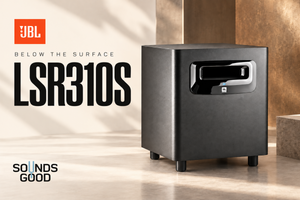
Start with a properly positioned stereo pair. That can cover many tasks; the deepest effects and sub-bass need another reference. An LSR310S adds a dedicated low-frequency path and crossover, but requires level and placement integration. A subwoofer should not continually call attention to itself.
When choosing between the 306P and 308P, consider actual working distance and usable placement space. Do not assign driver size from floor area alone: room proportions, surfaces and chair position can matter more. Where possible, assess the pair in the configuration you intend to use rather than extrapolating from a showroom.
Frequently asked questions
Can the 308P sit on a desk?
Yes, with sufficient space, support and correct height. Separate stands often provide more positioning freedom.
Is it suitable for parties?
It is a studio monitoring speaker. Choose event reinforcement around the venue and coverage requirements.
Does an eight-inch woofer eliminate the need for a sub?
No. Required extension and the actual job determine that, not woofer diameter alone.
Video featured on the official JBL page
Sources and the SoundsGood product
JBL 3 Series MkII / LSR310S — Owner’s Manual
An editorial review of design and practical applications using manufacturer documentation, without claiming independent laboratory measurements.
More studio-series reviews
JBL 305P MkII · JBL 306P MkII · JBL 104-BT · JBL LSR310S
Product photographs: SoundsGood catalogue. Cover: editorial illustration.