A presentation, intimate performance or small party needs a sound system that makes the programme understandable throughout the audience. The largest wattage figure on a box does not tell you whether the presenter will be clear in the back row, whether there are enough inputs for the musicians or whether the equipment fits your car. A successful choice starts with the event format, venue and working method. Connections, placement, operating headroom and transport follow. JBL IRX108BT and JBL EON712 provide concrete examples of powered full-range speakers in this guide. Specifications were checked against manufacturer documentation, and the photographs show the actual enclosures and panels. This is not a report of our own acoustic measurements or a promise that a particular speaker always serves a fixed number of people.

1. Define the event before choosing equipment
Separate the requirements: intelligible speech, background music, live vocals or a dance programme. A lecture needs words that listeners can follow without strain. Background playback calls for comfortable, even sound. Live instruments and dance music add demands for dynamics, bass and system headroom. The expression small event covers very different jobs, so neither cabinet size nor brand recognition is a sufficient starting point.
List the sources: a handheld microphone, two singers, keyboard, guitar and a phone playing backing tracks. Decide who will control levels during the performance and how much setup time is available. If one person carries everything, weight and the number of separate items become part of the technical decision. A short brief exposes missing functions before purchase. The system should support the programme rather than force participants to change it around the limitations of an arbitrary equipment choice.
2. What a powered speaker includes
A powered speaker contains its own amplifier, designed for its construction. It receives an appropriate audio signal and needs electrical power. For a simple rig, this reduces separate components compared with passive speakers and an external amplifier. However, powered does not automatically mean battery-operated, equipped with a full mixer or capable of every wireless connection. Each additional function needs to be checked in the specific model's documentation.
The panel may include microphone inputs, a line output, Bluetooth and digital adjustments, but the selection varies. A mains-powered enclosure does not become self-contained merely because it is described as portable. Portability often concerns transport. Working without a socket requires a suitable battery system or another properly checked power arrangement. Keep these requirements separate when speaking to a retailer. That makes the proposed equipment match the event rather than a general wish for a compact modern speaker with a convenient handle.

3. The venue matters more than chair count
The same number of guests can occupy a short wide room, a long hall or an outdoor area. The sound system faces different conditions in each. High ceilings, glass, bare walls and distance to the back row affect intelligibility. People and furniture also change the environment. A claim that a speaker is suitable for a hundred people, without a venue description, offers little dependable guidance.
Draw a simple plan showing the performance area, audience, aisles, power outlets and possible speaker positions. Mark the nearest and farthest listeners. Decide whether music should be similar everywhere or concentrated in a dance area. For regular travel, consider the more demanding typical venue. Photos and dimensions help preparation, but final placement still needs checking on site. Listen from audience positions rather than only beside the rear panel, where adjustment is convenient but the sound can be very different.
4. Why wattage is not the whole answer
Amplifier power is one specification, not a complete description of loudness or sound quality. Documents may show peak and sustained ratings under particular conditions. They should not be compared as interchangeable figures. JBL lists 1,300 watts peak and 650 watts RMS separately for EON712, while IRX108BT is specified at 1,300 watts peak. Matching peak numbers do not make these enclosures acoustically identical or equally suitable for every programme.
Consider maximum sound pressure, frequency range with its stated tolerance, coverage and construction as well. Read these together and pay attention to measurement conditions. A maximum rating is not the level an event should maintain continuously. Leave headroom for strong musical passages. A useful comparison ends with suitable programme material and the required configuration, not the biggest printed number. The complete system must perform the job cleanly and consistently rather than merely look impressive on a specification label.
5. Driver size and programme requirements
An eight-inch and a twelve-inch system may differ in dimensions, low-frequency capability and transport convenience. Driver diameter does not define overall quality by itself. Cabinet design, the high-frequency section, amplification and processing all contribute. A compact model can make sense for speech and mobile work, while a larger system serves another set of priorities. This is a direction for evaluation rather than a rule assigning every speaker one exclusive application.
Listen to the material the event will use: ordinary speech, a vocal passage and a familiar track with bass. Do not judge solely from a dramatic high-volume demonstration. Check whether the voice remains understandable alongside music and whether the balance is easy to establish. If bass-heavy music is central, the subwoofer question may matter more than replacing a full-range enclosure with a slightly larger one. Compare complete solutions for a defined result, not isolated driver diameters.

6. JBL IRX108BT as a compact example
IRX108BT is a powered two-way system with an eight-inch low-frequency driver. It provides two combination microphone or line inputs, an XLR pass-through output, Bluetooth playback and preset equalisation. Feedback suppression and ducking are included. JBL states a weight of 7.9 kg. That is the enclosure weight, not the weight of the complete event kit with a stand, cover, cables and other required accessories.
Its practical attraction is a compact format with straightforward controls. A presenter with music accompaniment may have enough inputs, provided the actual sources and levels have been checked. Phantom power is not provided. Therefore, an XLR socket alone does not establish compatibility with a condenser microphone needing phantom power. Decide from the intended connection arrangement and required sound. Low weight is useful, but it does not remove the need to check coverage, programme headroom and placement at the venue.

7. JBL EON712 and additional control
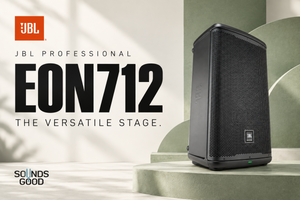
EON712 uses a twelve-inch low-frequency driver and a high-frequency compression driver. It includes two combination inputs, an XLR output, digital mixing, a display and JBL Pro Connect control. JBL describes parametric equalisation, delay, ducking and automatic feedback suppression. These tools offer more adjustment options, but each should solve an identified problem. A menu is not an invitation to enable every available process.
The model supports use as a main speaker or a floor monitor in the intended position. One enclosure cannot perform both jobs simultaneously without compromises in sound direction. Evaluate the panel and menus within your own working method. If operating alone, practise finding a required parameter and restoring its original value beforehand. An important performance is a poor time to explore complex controls for the first time, when there is no calm opportunity to assess every change and its effect on performers and listeners.

8. One speaker or a pair
One speaker can be sufficient for a simple speech event if its position provides intelligible coverage of the required area. A pair offers more options for width and stereo playback. However, two randomly placed enclosures do not guarantee even sound. They can overlap excessively or leave seats outside the main direction. Another speaker needs a placement plan, not merely a free socket and a suitable cable.
Choose the quantity from venue geometry and programme needs. For speech, everyone should receive the complete message. For music, check whether listeners near one side miss important elements. A second system adds a stand, power connection and signal route. Include all of these in the budget and setup schedule. If expansion comes later, establish the linking method now. You can then begin with a complete working arrangement and add another enclosure without unexpected replacement of other equipment.
9. Coverage angles and audience placement
Directivity describes how sound spreads relative to the speaker's main axis. JBL specifies nominal coverage of 90 degrees horizontally and 60 vertically for IRX108BT, and 100 by 60 degrees for EON712. These are not hard boundaries beyond which sound disappears. They assist planning, but actual results depend on frequency, the room and interaction between multiple sources. A diagrammatic sector is not a promise of identical sound at every position inside it.
Aim at the audience rather than the nearest wall or glass surface. Walk the front, rear and side seats. If it is too loud nearby but unclear at the back, simply adding level can make the experience worse. Reconsider placement or system design. A long difficult area may need additional points with deliberate alignment. An arbitrary extra speaker in the middle of the room can introduce more problems instead of solving the original one.

10. Stands and secure installation
The height of the main speakers affects whether sound reaches listeners without unnecessary obstruction by people. Use compatible stands with appropriate load ratings and fittings. Open the legs as instructed, choose a stable surface and keep aisles clear. Cables should neither pull the enclosure nor form loops where guests walk. Arrange suitable help for lifting heavy speakers rather than improvising while a cabinet is already above the stand.
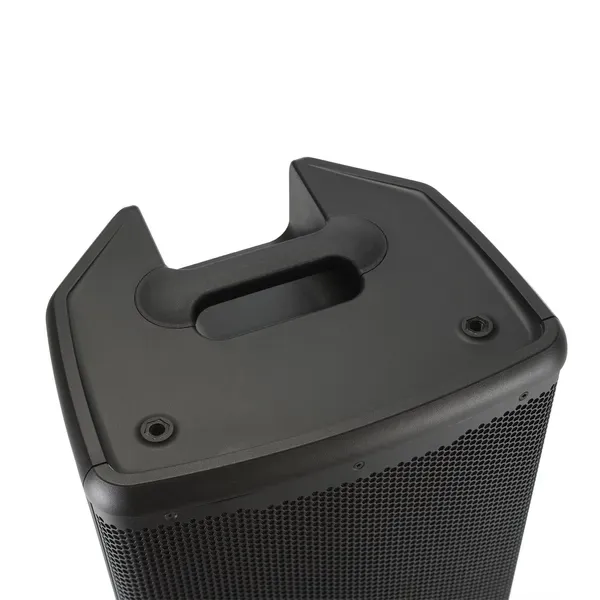
A handle or threaded opening does not authorise arbitrary suspension. Installation above people needs manufacturer-approved hardware and qualified execution. Do not substitute unstable furniture or an unrelated bracket for a suitable support. Check locks before starting the programme. Good audio does not compensate for insecure placement. Product photographs help explain construction, but a promotional arrangement is not necessarily an installation guide. Follow the instructions for the exact enclosure and mechanical accessories, including their permitted positions and loads.
11. Microphone and line levels
A microphone normally needs different input gain from a mixer or keyboard output. A combination socket accepts different plug types, but the appropriate input mode still matters. Check mic/line markings and the manual. A strong source into a sensitive input can distort, while a weak source with unsuitable settings can encourage excessive gain and noise. Convenient connector shape does not replace understanding the signal entering it.
Identify the source output first, followed by the cable and speaker setting. Never connect a power amplifier output intended for a passive speaker to an ordinary microphone or line input on a powered system. Consult both devices' diagrams when uncertain. A passive guitar pickup may need a suitable preamp or DI, while another instrument already supplies an appropriate line signal. Matching plugs do not imply matching electrical roles. Describe a verified connection by its input and output functions, not only its cable name.
12. When a separate mixer helps
Built-in inputs are sufficient when there are enough channels and controls. Several singers, instruments and backing tracks may be easier to manage through an external mixer. It brings source balance to one location. Selection involves microphone preamps, stereo pairs, effects and separate monitor outputs as well as socket count. A number in a mixer's name does not necessarily represent that many equally equipped microphone channels.
Write an input list before purchase. A spare channel can help with an unexpected guest, but excess channels do not replace a missing essential function. Check that the presenter's voice can be changed independently of the music. If the speaker panel is high or distant, even a small mixer can simplify operation. For a single source it may be unnecessary. Match complexity to actual use and give the operator straightforward access to the actions required during the event.
13. Phones and Bluetooth playback
Bluetooth is convenient for background audio, but that convenience does not automatically suit every stage application. Delay, link stability and phone behaviour need checking. For live playing or tightly timed accompaniment, a wired route is often more predictable. Wireless control of settings and transmission of the audio itself are separate capabilities. Establish each, particularly if one phone is expected to serve as both player and system controller.
Before the event, test the actual phone, application and playlist. Configure the device so unexpected notifications do not enter the programme. Prepare accessible offline files if internet service is unreliable. Leave battery capacity and an alternative connection. Do not base the whole performance on an untested pairing because it connected once at home. Rehearse starting the right track, pausing and returning to it. These routine operations should not require a long screen search after the presenter has announced the next item.
14. Connecting two powered speakers
The route depends on source outputs and speaker capabilities. A mixer may feed left and right separately, or one enclosure may pass the appropriate signal to another. Check what its pass-through carries: an individual input or a mix, before or after relevant controls. XLR describes a connector, not the complete internal routing. Confirm the arrangement in the manual and with a short test of every source.
Before raising volume, listen to each speaker separately and then together. Make sure all required signals reach both audience areas. For mono, use supported summing or an appropriate device output. Do not use an arbitrary cable that shorts two active outputs together. Label channels and leads. During quick setup, clear identification prevents confusion between inputs and outputs and helps locate silence. The working arrangement should be reproducible at the next venue without guessing which connection happened to work previously.
15. Gain setting and operating headroom
Begin at low levels and check sources one at a time. Follow the manufacturers' power-up instructions; in a typical arrangement, sources and the mixer start before powered speakers, while the speakers are switched off first. Raise signals gradually. Establish a clean input before setting overall volume. If the source is already distorted, turning down the speaker does not restore its original quality.
Signal and limit indicators provide useful feedback. Continuous limiting is a reason to reassess system demands, balance or bass loading. Do not compensate for poor placement by turning every control to maximum. Check the loudest passage and retain headroom for real performance dynamics. Then walk into the audience area and assess whether the level suits the task. An impressive sound beside the enclosure is less important than clear, comfortable delivery throughout the programme, including quieter explanations and fuller musical passages.
16. Feedback and microphone placement
Feedback occurs when loudspeaker sound returns to the microphone and is amplified again. Placement, directivity, levels and the room all affect the risk. Aim the main system towards listeners and avoid directing it into the microphone's sensitive side. Explain microphone handling and unsuitable walking positions to the presenter. Agree the route beforehand, especially if the person will move among the audience or approach a screen near the speakers.
Automatic feedback suppression can help, but it cannot remove physical constraints. If ringing returns, lower the problem source and review positions first. Do not cover the microphone grille with a hand or point it at a loudspeaker. Avoid leaving unnecessary microphones open. Address the cause instead of continually raising the master after the processor acts. Sensible placement and consistent microphone technique provide a more stable foundation than expecting a digital mode to accommodate every possible movement and level.
17. Equalisation and presets
Start with a neutral or task-appropriate setting and change one parameter at a time. A speech or music preset can be useful, but it does not know the room geometry. Excessive bass boost consumes headroom and can reduce clarity. Adding treble does not remove room reflections either. Check speaker position, input level and source character before using equalisation as the first answer to every problem.
Listen to several familiar passages after a change, not just one note. Judge the benefit from audience positions rather than solely by the panel. Keep a clear starting configuration available. With parametric EQ, do not fill every band simply because it exists. A small number of justified adjustments is easier to reproduce and troubleshoot. Complex settings without an identifiable purpose reduce predictability and make it harder for another operator to take over confidently when you are unavailable or occupied elsewhere.
18. Ducking for announcements
Ducking lowers music when speech is detected on the relevant input. It can help with presentations, announcements and classes where one person also manages playback. First establish which inputs trigger it and which signal is reduced. The behaviour must match the connection plan. Otherwise, level changes can seem random during background noise, short pauses or the quiet beginning of a sentence.
Test ordinary speech and the pauses the presenter naturally uses. Listen to whether music returns at an appropriate time and stays clear of the words. Automatic reduction may be unnecessary during a live musical performance. Leave it off if it serves no defined purpose. A well-chosen static balance can be more useful than poorly understood automation. Assess from a listener's position: an indicator confirming that the feature activated does not by itself establish a practical or musically appropriate result for the audience.
19. Deciding whether to add a subwoofer
A subwoofer extends the system's low-frequency role and, with appropriate integration, can reduce that workload on the main full-range enclosures. It is useful when the programme needs stronger bass than the main speakers can provide at the required level. Extra low end is not an objective for an ordinary speech presentation. Material, volume and venue should determine the need rather than the desire to reproduce somebody else's larger concert rig.
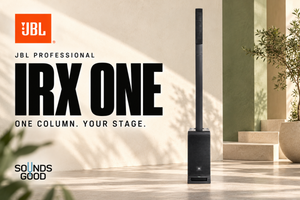
Check crossover arrangements, outputs, recommended settings and support compatibility if a speaker stands above the subwoofer. An uncoordinated addition can create boom rather than defined bass. The IRX configuration photograph includes a separate subwoofer and pole; they are not automatically part of an IRX108BT purchase. Confirm every order item. Ideally, test the new combination together instead of selecting components solely from separate data sheets. Their interaction and the operator's ability to establish a consistent balance are what matter in practice.

20. Main speakers and stage monitors
The main system serves listeners, while a monitor helps performers hear relevant sources on stage. Position and balance can differ substantially. A good house mix may not help a singer standing beside instruments. A speaker designed for monitor placement offers another application, but it does not replace a separate unit when both roles are required simultaneously. One enclosure cannot be treated as two independently aimed and adjusted sound sources.
Decide what the performer needs: their own voice, a backing track or the complete ensemble. Check that the mixer provides the required independent balance. Do not turn the main speaker towards the stage and expect unchanged audience coverage. A small acoustic performance may work with a simpler arrangement, but confirm it in rehearsal. Excessive stage level complicates the main mix. Start with what is necessary and add only what is missing, with a clear understanding of who controls each mix.

21. Outdoor events and power
An open venue does not behave like a room. Reflections differ, distances can increase and background noise may be higher. Plan placement and headroom separately. A portable enclosure is not automatically rainproof. Check operating conditions and arrange protection according to instructions without covering ventilation with improvised materials. A category label does not replace a manufacturer's specific environmental and installation guidance.
Agree power points and cable routes with the venue in advance. Do not use damaged extension leads or defeat protective earth to remove noise. A responsible qualified person should organise complex electrical arrangements. Without a socket, assess the full power plan against equipment requirements; portable does not promise a built-in battery. Test the complete configuration before the event, including sources and controls. A working speaker alone does not establish readiness if the phone runs flat, the mixer lacks power or the cable cannot reach a suitable connection point.
22. Transport and repeated use
Count the entire load: speakers, stands, mixer, microphones, leads, covers and perhaps a subwoofer. Check doorways, stairs, car space and trips from the parking area. A comfortable-looking handle does not establish whether you can carry the rig every week. Logistics affect time and fatigue as much as the control menus. Picture the actual loading process before committing to enclosure weights and quantities.
Use suitable covers and do not place heavy loose objects against grilles. Store cables so connectors cannot strike controls. Inspect the kit after the event and separate defective items rather than returning them to the normal bag. Consistent packing helps reveal a missing lead before the next journey. A convenient system can be more useful than an extra feature buried in an impractical transport arrangement. Equipment should suit not only the room but also the people responsible for moving and operating it.

23. A meaningful demonstration
Bring familiar music and a microphone similar to the intended one. Ask to hear the ordinary required level, not just maximum output. Include speech, a dense musical passage and a quiet section. Compare at similar volume with understood settings. Otherwise, a louder or bassier preset can create an advantage that disappears in your application. The conditions should be clear enough to explain the result.
Move away from the cabinet, change angle and assess intelligibility. Check how quickly you can find a control, connect a source and restore the starting state. If the plan includes a pair and a subwoofer, hear that configuration if possible. One enclosure does not demonstrate the interaction of the complete rig. Note strengths and necessary corrections. This separates speaker behaviour from the demonstration room and first impressions. For a working purchase, repeatable results with a clear setup method are as valuable as an attractive initial sound.
24. Soundcheck before guests arrive
Test each source separately, then the actual combination, and walk the listening area. Ask the presenter to use a normal voice and the musician to play the strongest expected passage. A quiet counting test does not reveal performance headroom. Identify unsuitable positions for someone holding a microphone and agree the route. Soundcheck becomes part of event organisation rather than an isolated activity unknown to the participants.
Save a comprehensible setup, label channels and ensure the operator can reduce a problem source quickly. Check playback start, pause and the fallback connection. Once guests arrive, small balance adjustments may be needed, but there should be no unexplained reconstruction of the whole signal path. Do not postpone the main check until the first announcement. A calm test finds minor faults before they become part of the audience experience and leaves the necessary actions clear to the people actually running the programme.
25. Budget and future expansion
Add stands, cables, covers, microphones and any required mixer to speaker prices. Confirm whether a quotation covers one enclosure or a pair. A photograph with accessories does not prove that they are supplied. With a limited budget, a complete functional rig is more useful than an expensive speaker without reliable connection and support. Compare equally ready systems, including small essential items without which the event cannot proceed.
Consider the next step: another speaker, a subwoofer, monitor or more inputs. The starting rig should permit understandable expansion, but there is no need to buy everything for a hypothetical large event. Renting extra equipment for an occasional demanding programme may be more practical. Relate spending to frequency of use. The priority is dependable everyday work with a sensible path to additions. Write down that future arrangement so a later purchase complements the existing system rather than unexpectedly replacing much of it.
26. Making the final decision
Express the choice in one sentence: this kit is for a defined programme, these venues, these sources and this transport method. Check every part against specifications and a practical demonstration. A compact speech rig follows different priorities from a multi-source musical performance. IRX108BT and EON712 illustrate different combinations of dimensions and control, but a model name cannot replace the task description. The result depends on the whole process from loading to the final announcement.
Before ordering, verify contents, inputs, power, supports and required expansion. After delivery, assemble everything and rehearse without rushing. Keep the settings and packing order. If the rig is straightforward to prepare, the programme is clear in the intended area and the operator can manage sources confidently, it meets its purpose. That predictability makes powered speakers useful working equipment, with a known preparation routine and a controllable result, rather than simply impressive cabinets with a long list of untested functions.