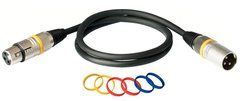
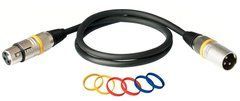
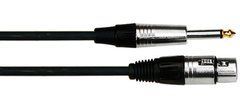
Match the microphone and the receiving input
A microphone cable must connect a particular microphone to an appropriate mixer, preamp or interface input. For a conventional XLR route, check both terminations, contact count and port function. If one end needs a jack plug, establish what that socket actually accepts. A combination input does not necessarily treat its XLR and jack connections identically for a microphone. Confirm the arrangement before selecting the assembly rather than relying on the socket's appearance.
Describe the entire route: microphone, cable, any stagebox and the receiving channel. Add wall panels or intermediate patching for a studio installation. This allows the complete path to be checked instead of only the last visible lead. Lavalier, headset and miniature microphones can require special terminations and adapters; they should not automatically be treated as standard three-pin XLR connections. Exact device models and readable port-label photographs are useful when ordering. Include every intermediate component if the signal passes through several connection points.
Screening, conductors and mechanical support
A finished assembly depends on both its electrical arrangement and mechanical construction. Compare intended use, screening, jacket, overall diameter and connectors. For example, the manufacturer describes Audix CBL20 as a balanced XLR–XLR microphone cable with quad conductors, a braided shield and PVC jacket. These details identify this model, rather than every product with a similar name.
For stage use, assess flexibility and behaviour near the plug housings. The entry should support the jacket so pulling forces are not carried by internal contacts. The latch should remain accessible in the microphone's working position. Permanent studio lines also benefit from orderly routing through organisers and practical servicing access. Weight alone is not a useful judgement: a heavy housing cannot correct wrong wiring, while an unnecessarily thick cable can be awkward on a light stand. Match the construction to the actual operating conditions.
Phantom power and adapter limitations
Shure explains phantom power as power supplied through the microphone cable by an appropriate source. The cable itself is not a power supply. Compatible microphone and input or external powering equipment are needed, together with the correct connection.
Before choosing XLR–TRS, check the receiver documentation for input function, suitable gain and where power is available. Changing the plug housing does not create missing features. For a computer connection, establish the full conversion route as well: an ordinary analogue cable does not replace an audio interface. Follow manufacturer connection and switching procedures while controlling monitoring volume. Where an adapter or isolator is included, confirm its compatibility with the required power separately. XLR connectors at both ends of its enclosure do not establish that capability.
Length for vocals, drums, studios and conference tables
For a vocalist, measure from the real input position to the performer's working area. Allow movement without unnecessary loops underfoot. Around a drum kit, the cable should avoid moving parts and should not pull the microphone away from its intended position. Short leads to a nearby stagebox may be more convenient than identical long cables from every microphone. Decide on the routing before final stand placement so the wiring supports the arrangement instead of forcing changes afterwards.
In a studio, include the rise to the suspension mount, height adjustment and access to the wall panel. At a conference table, plan a tidy cable exit and transition to the floor. An angled connector can help when its orientation suits the installation. Store allowance without pressure on the plug and avoid overtight wraps. Once the equipment is placed, confirm that a chair or stand can move without tension or microphone displacement. Repeat that check when the room layout changes before the next event.
Testing the route and identifying crackling
Inspect jackets, latches and cable entries before use. A tester checks contact connections within its functions, but the full route should be tested with an actual microphone. Listen to the selected channel and move the cable slowly as it will move during operation. Check for interruptions. Distinguish contact crackling from touching the microphone body or mechanical noise through a stand: the causes require different remedies and are not automatically resolved by buying another cable.
If a fault appears, start by substituting a tested cable of the same function. Then try another input or source as needed, changing only one element at a time. Label the faulty item and remove it from the working box. In a multi-microphone kit, identification at both ends should match the channel map. Test again after repair. Good contact with a stationary plug may not explain a fault that appeared only during movement. Preserve a description of the symptom for whoever services the cable.
Compatibility and mobile-kit questions
Is the longest cable the most versatile? It covers more routes but needs space, organisation and testing in the actual system. A regular kit benefits from several useful lengths with clear labels. This makes surplus loops easier to avoid and replacements quicker to select.
Can an XLR cable carry another signal? Only if its specifications meet that interface's requirements. An XLR housing alone does not establish suitability for digital audio or lighting control. Check the new application separately.
What belongs in the kit? Tested main lines, appropriate spares, labels, suitable wraps and a separate location for items awaiting repair. Provide microphone count and models, stagebox or mixer position and transport conditions for selection. A short channel list helps specify the set without unnecessary additions.
SoundsGood supplies sound equipment for educational institutions, studios, concert halls, conference rooms, and public and private organisations. A technical brief can be used to agree on system components, specifications, a commercial quotation, documentation and delivery arrangements.